
I needed a better gut health app. So I built one.
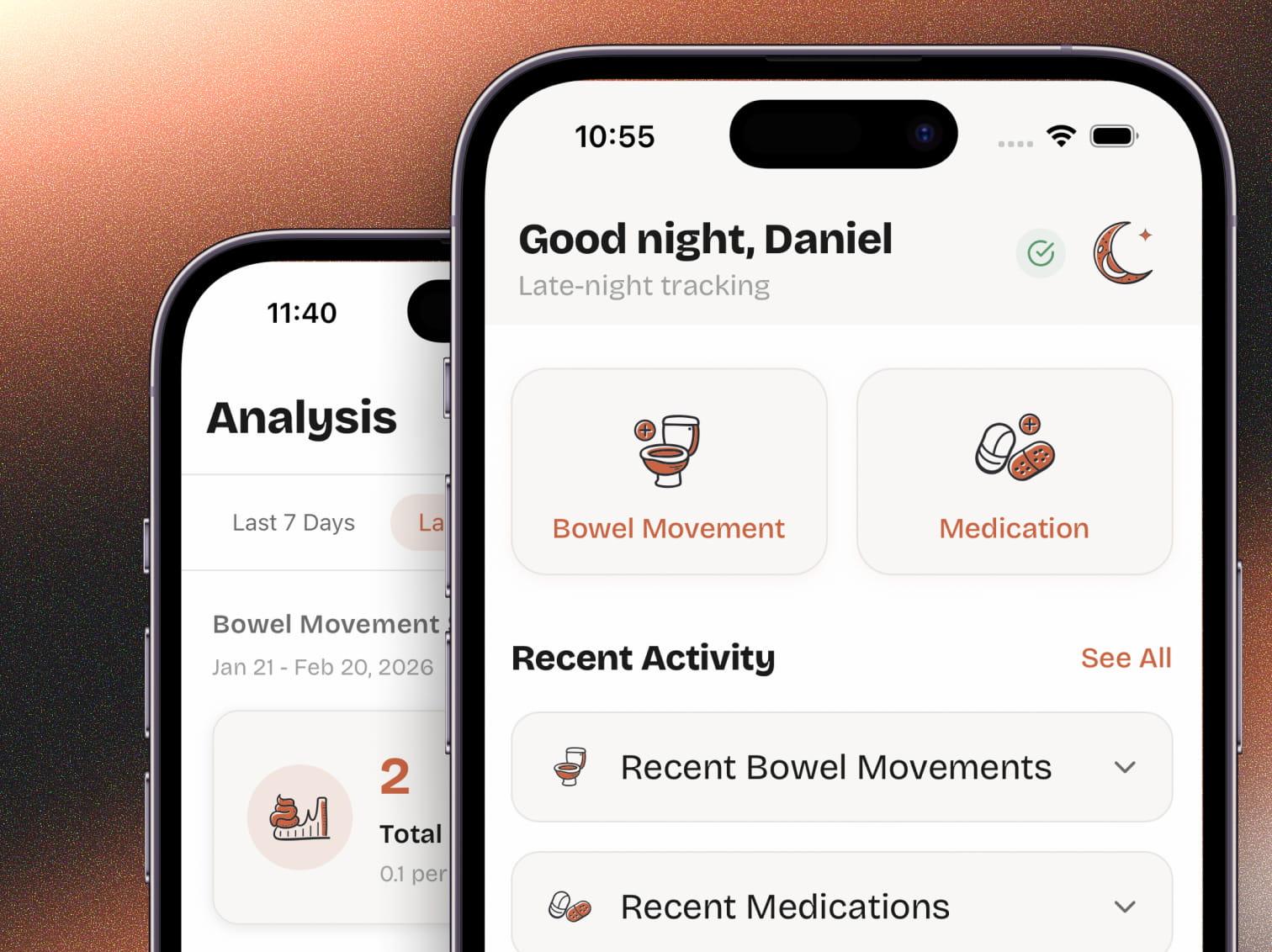
The Problem
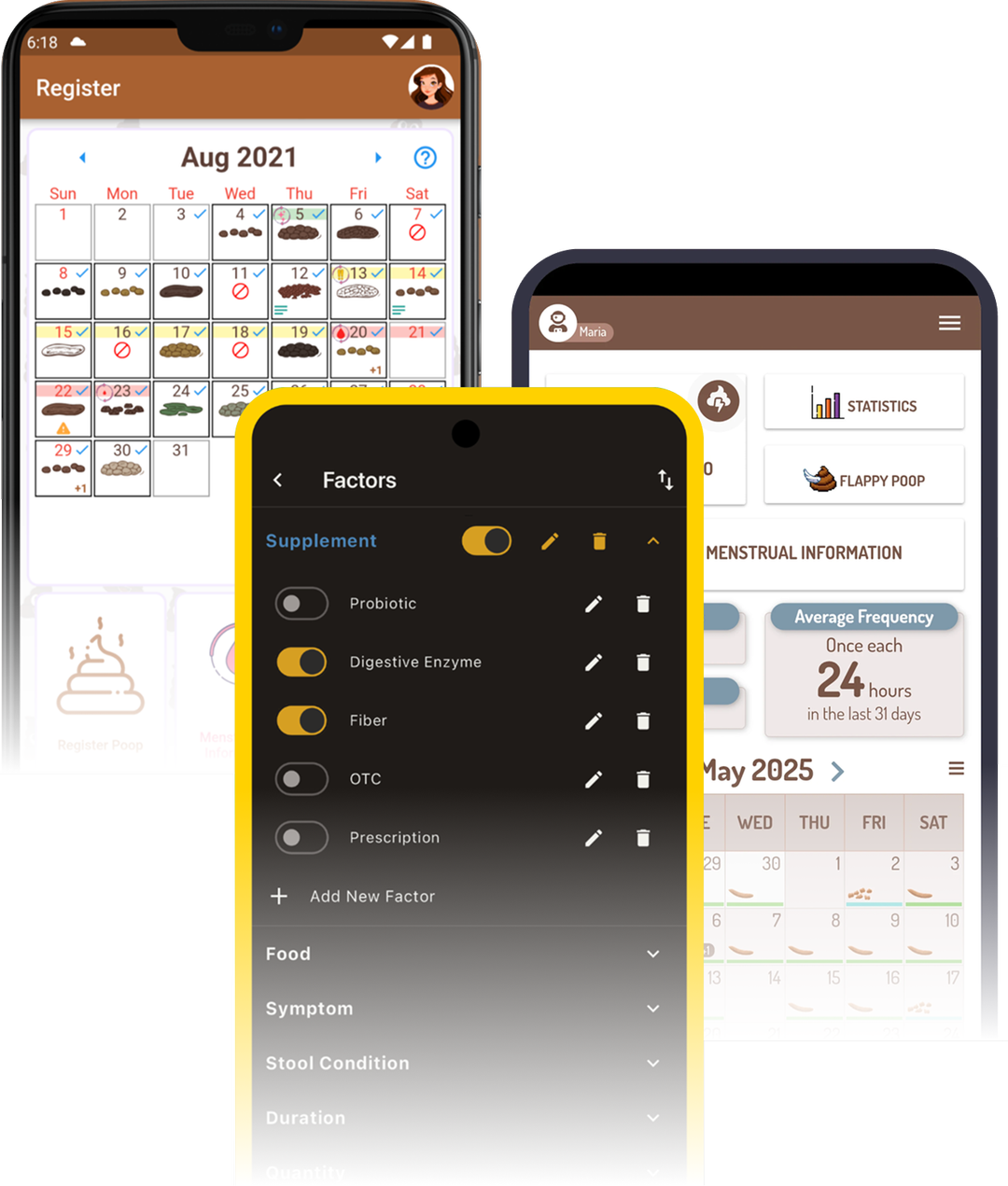
Nobody was treating gut health tracking as a real design problem
Choosing between thoroughness and experience
Design Goals
Tasteful, not embarrassing
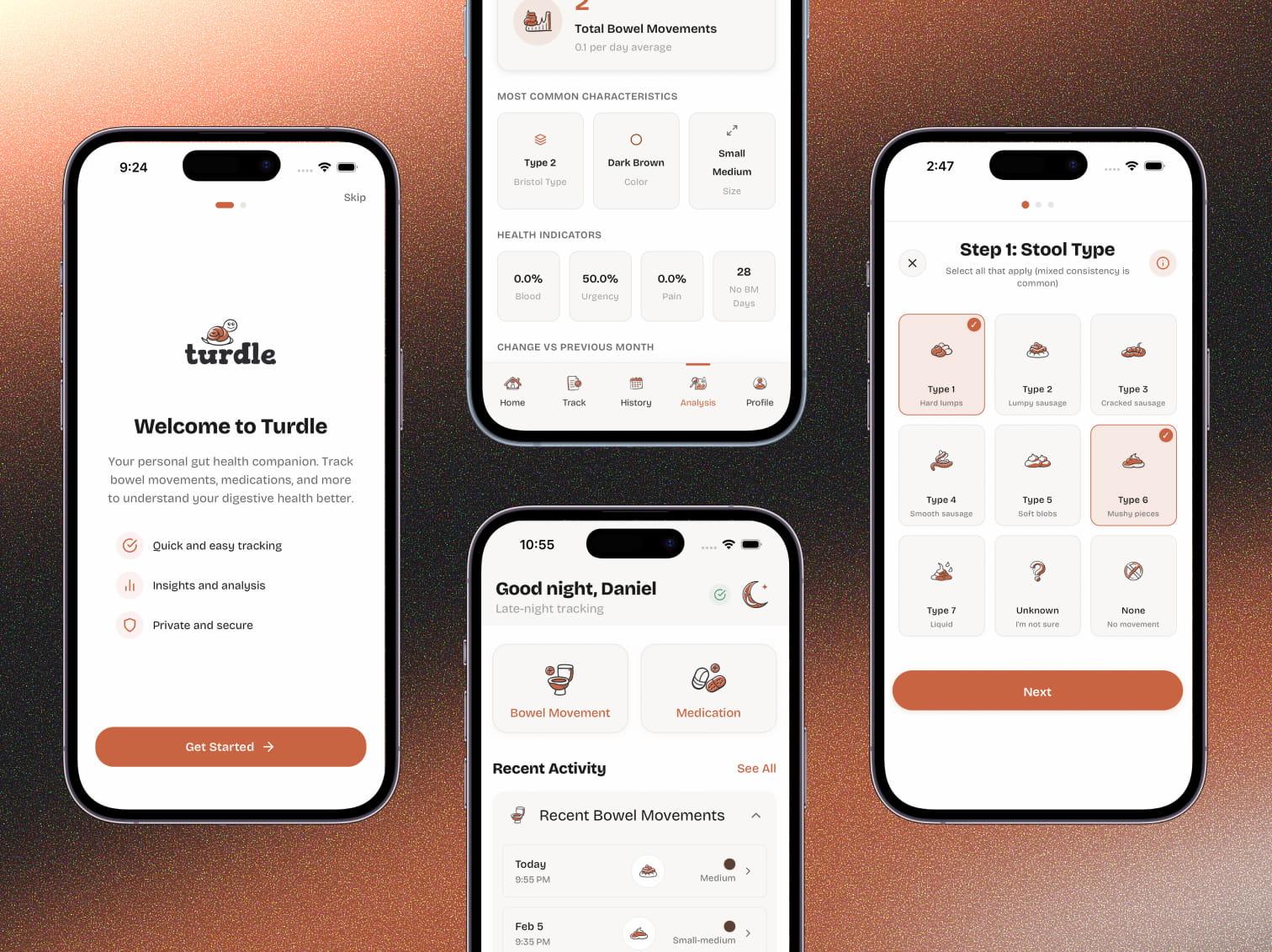
The app doesn't hide what it tracks, but it treats the subject with more sophistication than the competition. Custom illustrated icons replace the cartoon emojis and toilet imagery that dominate the space. The aesthetic is playful and warm, not clinical or juvenile.
Playful, not childish
The tone had to be warm enough to lower daily logging friction, but mature enough not to undermine what it's tracking. The name "Turdle" captures this. A wink, not a joke.
Fast for quick logs, deep for detailed ones
The app tracks a lot. Bowel movements across 10+ dimensions. Food with allergen flags. Symptoms with condition-specific detail forms. Medications. Water intake. Every flow needed to feel quick for a basic entry but expandable for someone who wants clinical-level detail.
Solutioning
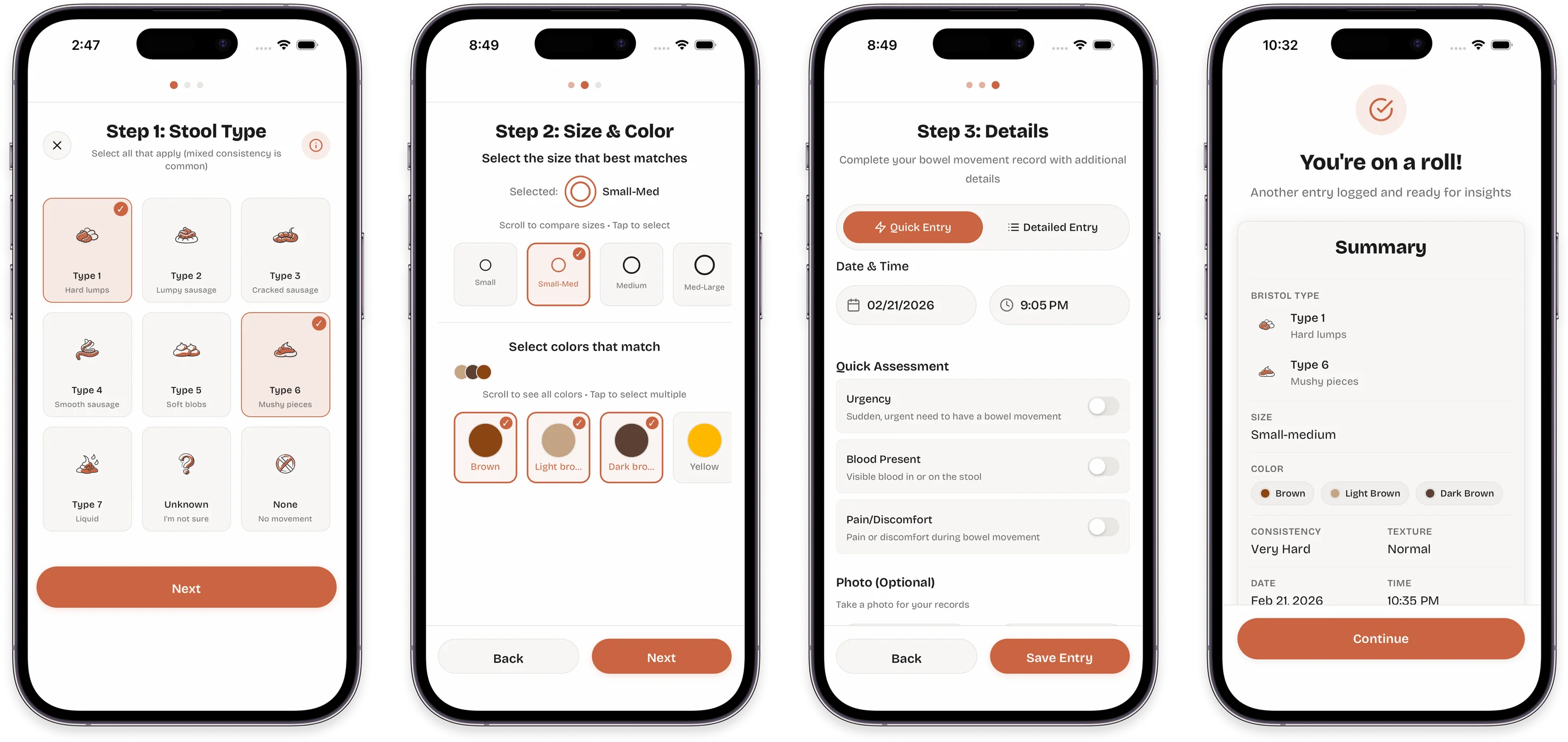
Guided flows over form fields
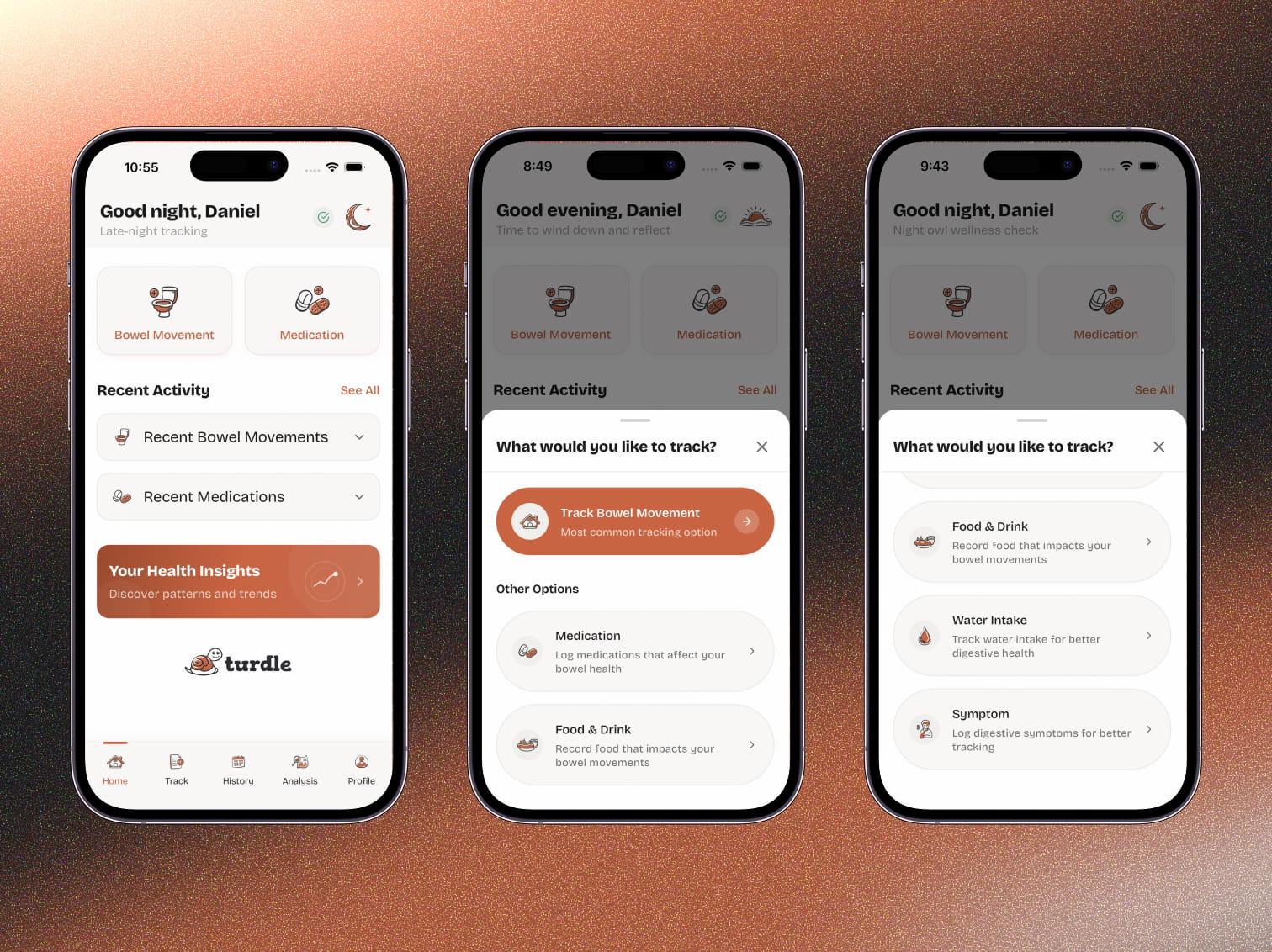
Key design and technical decisions
Progressive disclosure across five tracking domains:
Turdle tracks bowel movements, food, symptoms, medications, and water intake from one home screen. Making all of that accessible without overwhelming people was the main challenge. Progressive disclosure does the work. You only see what's relevant to your current step and tracking type.
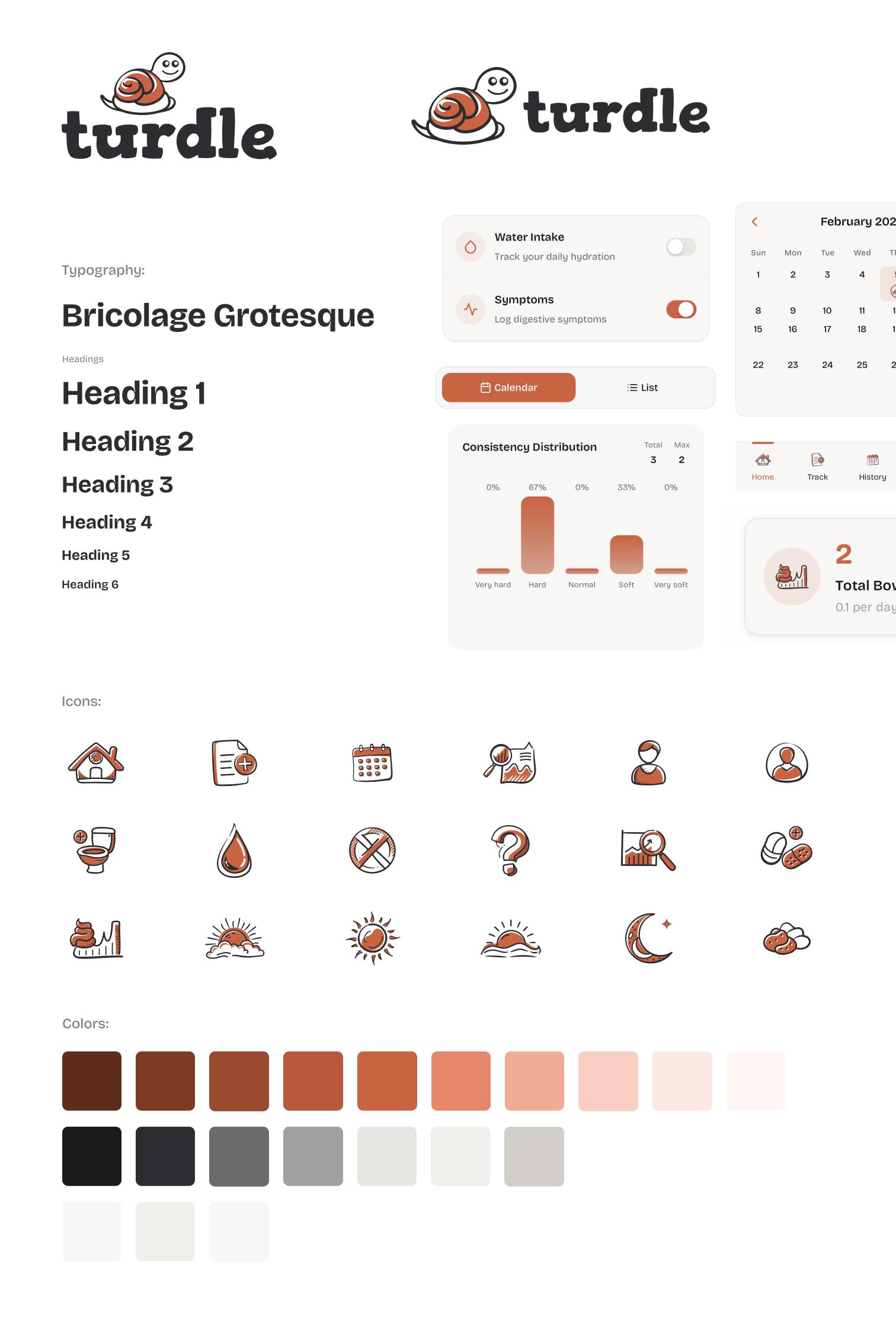
A visual identity that earns trust:
I designed Turdle's brand identity from the ground up: logo, color palette, and visual language. The interface uses warm, earthy tones. Terracotta and sage instead of the sterile blues most health apps default to, or the bright novelty colors gut trackers tend toward. Custom icons, branded illustrations, and a paper texture background give it the feel of a thoughtfully designed journal rather than a medical tool.
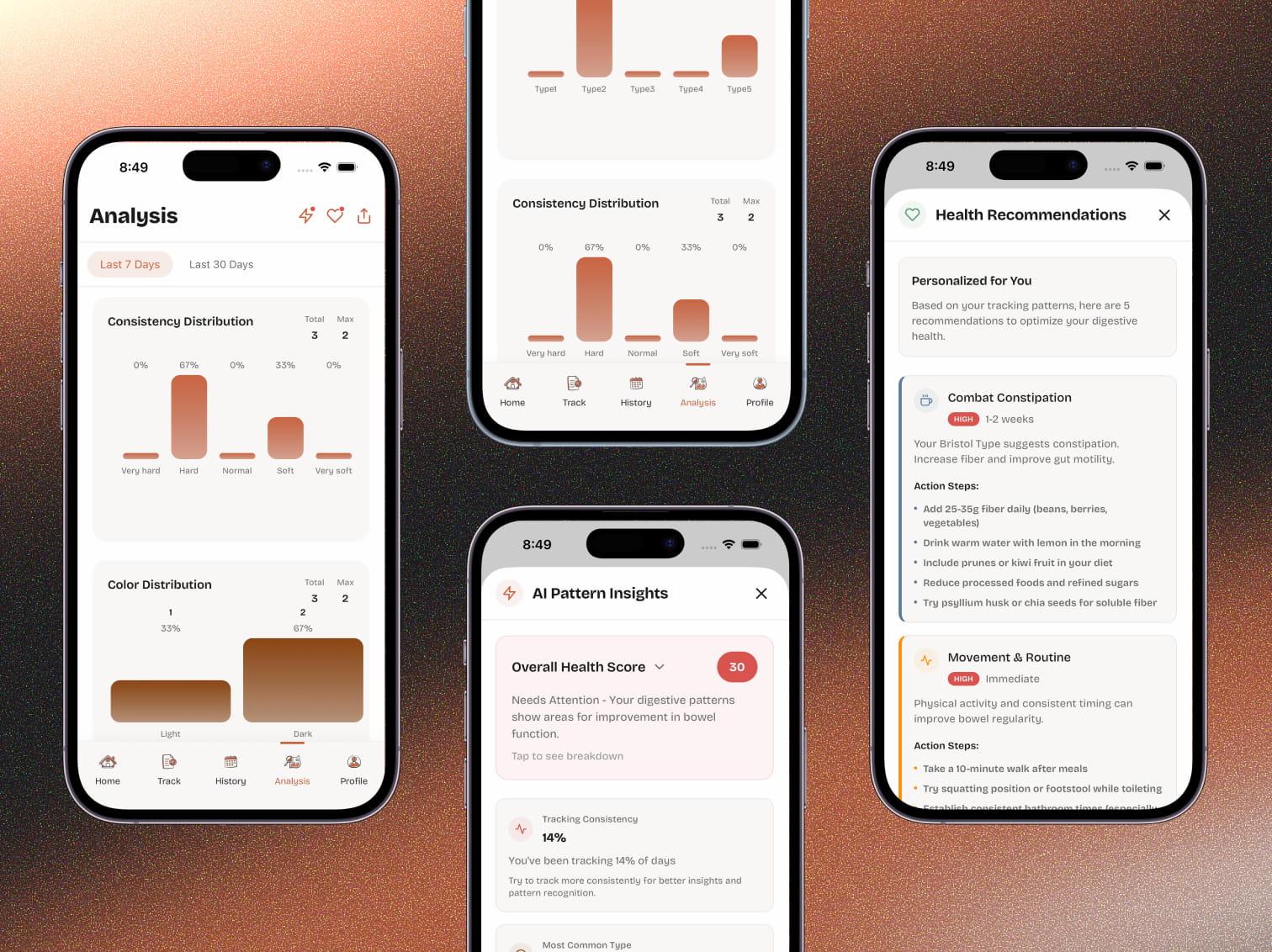
Analysis that gives something back:
Logged data feeds into an analysis engine that surfaces trends, identifies potential triggers, and generates AI-powered insights. Animated charts, health indicator grids, and recommendation cards. The goal was making the daily effort of tracking feel worth it by turning data into something useful.
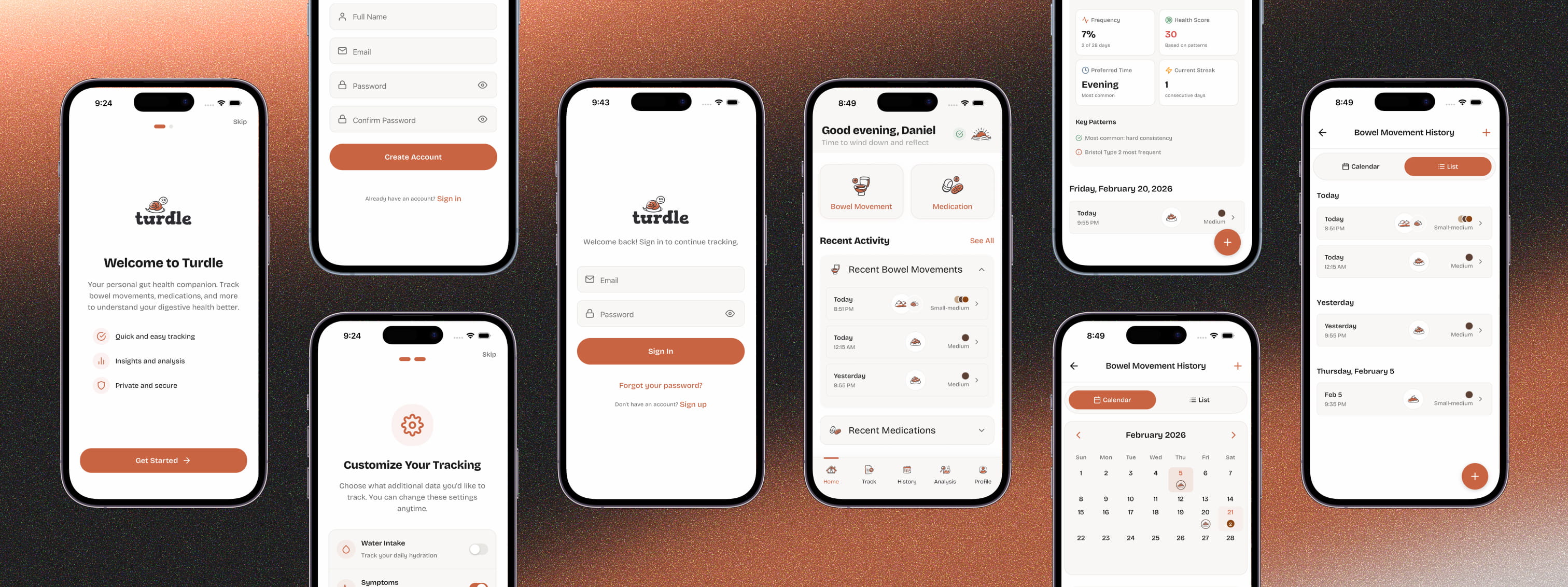
Offline-first architecture:
Health logging doesn't wait for Wi-Fi. The app uses local storage as the source of truth with automatic cloud sync when connected. Failed syncs get tracked and retried so you never lose an entry.
Influencing
Scoping for one person without shrinking the product
Choosing restraint over feature density
Picking tools for sustainability
Using AI as a development partner
Outcomes
production screens designed and built solo
components shipped without a development team
tracking domains with offline-capable cloud sync
Shipped a production-grade app solo
33 screens, 5 data stores with full sync logic, 230+ components. Authentication, cloud sync, offline capability, production-level state management. Not a prototype.
Proved what one designer can ship with the right workflow
I paired design ownership with AI-powered development and compressed what would normally be a multi-person effort into a solo build. This isn't a one-time experiment. It's a repeatable workflow.
Brought real design quality to an underserved space
The gut health tracking space is full of apps that are either functional but ugly, or playful but embarrassing. Turdle shows you can build something clinically comprehensive that people actually want to use. Treating design as a first-class problem is the whole differentiator.
Current status
Core tracking, sync infrastructure, and analysis features are complete. Final polish and App Store preparation are the remaining work before public launch.
From Google Forms to a production SaaS platform
Ironclad Restoration Marketing Agency
Coming Soon
A 46% task failure rate hiding in plain sight
Total Wine & More